
Built by painters for painters
Brushes that feel great to use, tools that make art fun again:
Kala Paint is a powerful new painting software built to fully replace old subscription software. No Generative AI, ever.
I'm Oliver Lawson and I built the software I wish I'd been using to paint with for the past 15 years of working as an Illustrator and Concept Artist.
One-time purchase - no subscriptions, ever!
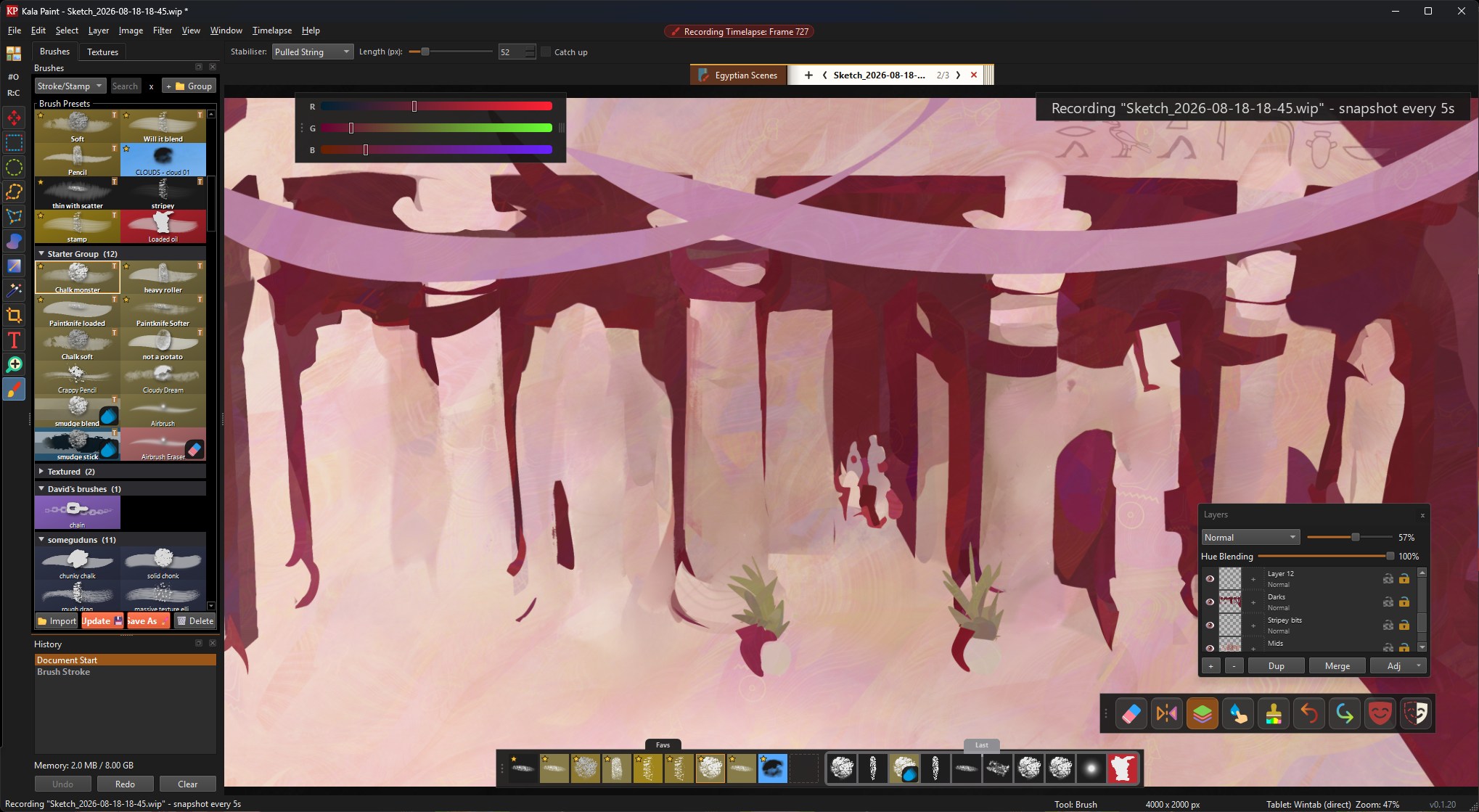
Buy once, paint forever.
Single purchase. No recurring fees. Includes the Windows build and updates for the current major version.
Kala Paint will never become subscription-based.
Kala Paint will never add generative AI rubbish.
Kala Paint
$79.99 USD · one-time purchase Buy Kala Paint Download Windows trial (0.1.20)Windows 10 and 11 for now. Linux AppImages are on the way, Android and iPad versions are planned.
Brushes that won't trail behind your pen
Each stamp is built on the GPU, so a 3000px brush can behave as smoothly as a 10px one. Never again wait for a stroke to catch up with your hand!
I'm gradually building a hugely ambitious brush engine to power all kinds of cool workflows. ABR import is about 80% complete with the rest of the features to be added soon.
3000px brushes with 1px spacing running buttery smooth while mixing colour from layers beneath (vid not sped up!)
Lasso Paint Deluxe
If you've not used this tool before, it's an amazingly fun and easy way to put down confident paintings with sharply controlled edge contrasts and automatically fill shapes with patterned textures.
If you have tried this tool, you'll know how useful it is. My version has some great features like using pen pressure to control colours or edge softness across the shape.
Make and reuse Lasso Paint tool presets with different textures, stroke only, noise patterns, and more!
Some cool Lasso Paint features
A demo Timelapse of a Lasso Paint painting
A shelf of sketchbooks, not a mess of lost folders
In the optional "Sketchbook Mode", you can keep your paintings in sketchbooks on a shelf, and flip through their pages. The files on disk will stay where they are, this is just a really nice organisational and presentation tool.
No more hunting through Explorer windows for that sketch you can never remember the location of!
Multiple books can be open at once, and consecutive pages are background-loaded to keep navigation really snappy.
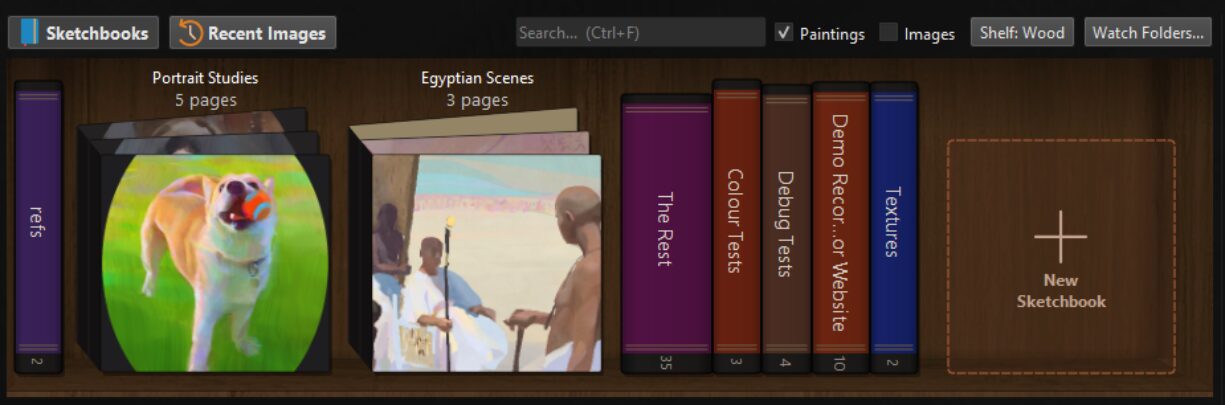
The shelf
Paint that actually mixes
Blend mode picks up from the whole visible stack, without lag. Check "Sample All Layers" and you can push colour around intuitively without flattening anything
Choose from a bunch of mixing modes and make some cool smeary messes!
Blending colour with a stack of layers
Non-destructive Filters
Blur, sharpen, high pass, median, mosaic, textured blurs and more, sitting above your paint layer rather than baked into it. They run on the GPU as the layer composites, so the actual painting is never touched.
Stack several together on a layer, reorder, toggle them on/off, come back later and bake if you want!
Fun with blurs and sharpen
The "Textured Blur" is awesome
Selective Colour+
You may know Selective Colour from a number of painting programs; it's a useful tool that manipulates CMYK-ness (oddly) of a single colour from: R,G,B,C,M,Y,K in a fairly clunky way.
Kala Paint has that, but also has this new approach: Simply sample any colour from the canvas (like a Select Colour Range), adjust reach/falloff, and tweak the H,S,V for full control of recolouring things. Then: add a second, third, fourth, etc recoloured sample onto the stack!
This is one of my favourite new features, and one that I wish I'd been able to use in so so many paintings. A GPU-powered colour grading style tool with so much control & ease of use.
Colours!
Selective Colour+ shenanigans on a finished piece
Liquify all the layers
Speaks for itself. In some programs this is a little too slow to use, and I never realised how fun and useful this could be until I made a GPU-accelerated solution.
You can naturally transform selections across multiple layers too!
Tweaks in liquify
All the layers at once
A new way to handle selections
Store a selection like "Shadow Shape" or "Earrings" and always have it available no matter the layer stack, today or in a month's time.
I loved these in old 3d modelling software and the idea turns out to be super useful for both illustrators and concept artists. Use modifier keys (shift, alt) to add/sub/intersect selections too with ease.
Combining multiple stored selections
Timelapse your paintings
Tick a box and paint, your canvas will be recorded in the background while you work.
It can capture either the whole Kala Paint window, just the canvas area, or the artwork itself without rotates/zooms/flips.
A timelapse export from Ali Eser
The timelapse/recording manager
PSD & abr support,
.wip for your own work
The native .wip format is how you'll save and open your files you actually paint on.
I'm really proud of this format - so far it's ~3-20x smaller than the same layered painting PSD (better compression for paintings with flatter colours), and opens about ~5-9x faster.
It stores a preview thumb that always shows in Windows Explorer, and PSD importing/exporting is included for importing old files or sending to that AD/printer who's yet to hear of us.
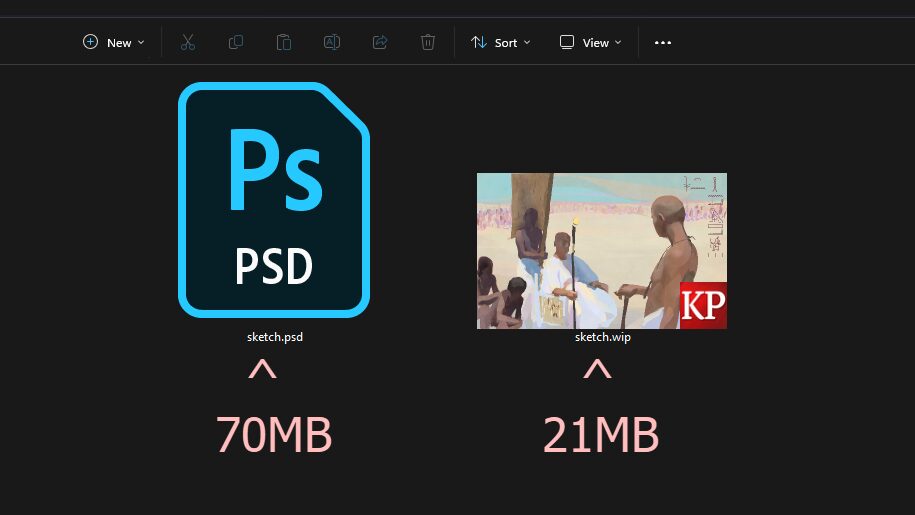
The same painting saved as a PSD and as a .wip, plus with Explorer thumbnails!
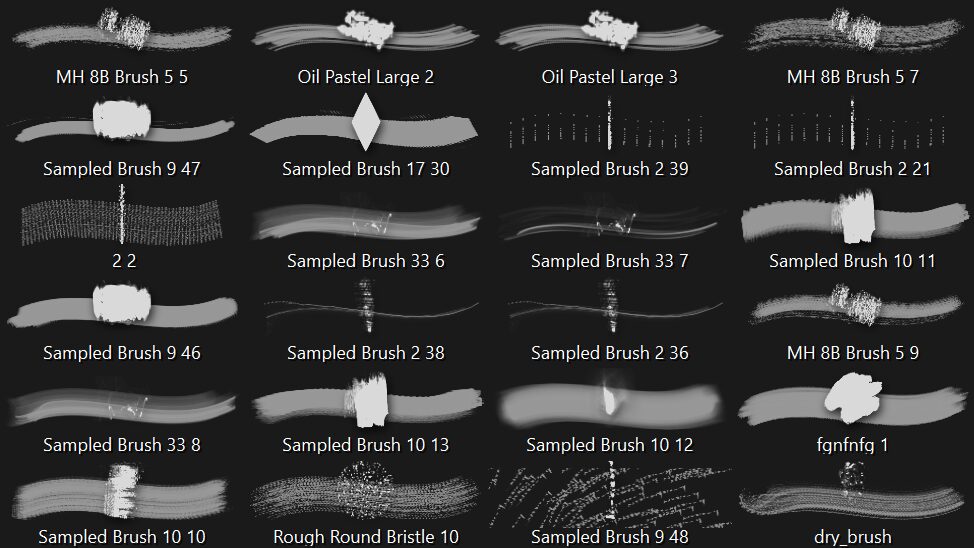
Some imported .abr brushes in our brush panel. While we're in Alpha, I'm still working to support all brush features, but will soon be feature-complete.
Hue blending, to keep your colours vibrant
An optional "Hue Blending" slider allows colour transitions to occur closer to the outer rim of the colour wheel, leading to everything just being a bit less muddy and dull.
I've come up with a new system that still allows complements to cross greys while other colour pairs are almost magnetised away from the centre,meaning blue + red slightly tint purple rather than the usual awkward digital pink-grey! I think it's a mistake to try and model physical pigments as 4 different reds might mix in different ways, so this isn't that. Instead it's I think an even more intuitive-feeling mixing than the arbitrary digital default most artists are used to.
Colourful goodness!
Painting stats
Kala Paint keeps a heatmap of every stroke you lay down. It might be useful to see that you keep rerendering those eyes, or (more likely) it might be totally useless. But it's fun!
Besides that, each painting builds stats over time. We don't do any kind of evil telemetry, this is all stored locally on your machine, but I think it's about time every artist knew that they just reached half the height of the eiffel tower with cumulative brushstrokes, and just how many undos and canvas flips they spammed along the way.
Following the heatmap of a finished piece by Ali Eser
The stats panel. Fun and useless stuff in here, see how many corgis long your lifetime of brushstrokes make, your top brushes per painting, and more!
Set things up however you like
Choose from UI colour themes, rebind all your shortcuts, and assemble and combine floating UI sliders and buttons to make your ideal painting setup.
Configure autosaves and crash recovery backups, tweak tablet pressure curve from within preferences, put a weird texture as the workspace background, and configure all the memory/performance settings to your heart's content.
Setting up Overlay UI however you like it! Also the optional "Screencast Keys" shown in bottom-left
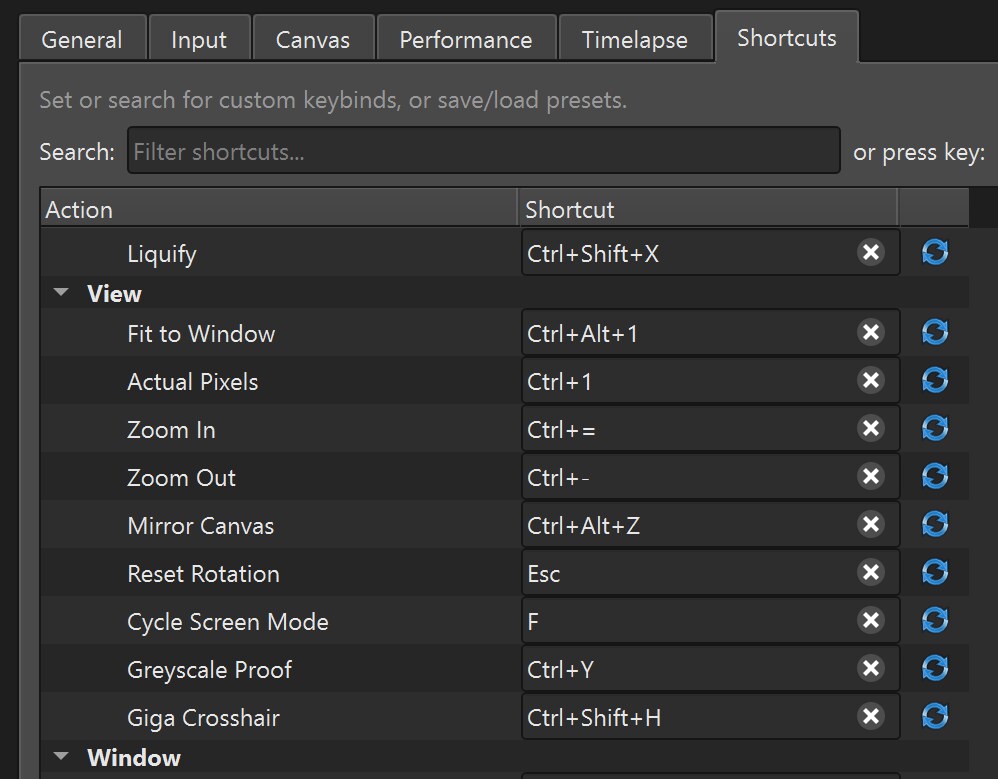
Among the many preferences are remappable keys, which can be saved/loaded as sets
And more
- Selection and transform tools
- Built-in stabilisers like pulled-string
- Magic wand
- Select Colour Range
- Crop
- Gradients
- Clone stamp
- Adjustments and Filters
- Greyscale proof view (perceptual, for artists!)
- Quickmask (with many special features)
- Layer groups
- Clipping masks
- Layer masks
- All the blend modes (and more!)
- Text tool (just the basics for now)
- GPU accelerated everything
- Round canvases
- Challenge mode (limits on time/strokes/colours/undos/more!)
- Camera bookmarks
- Shareable brush packs
- Limited palette modes
- Autosave and crash recovery
- Pressure curve settings
- And more to come!
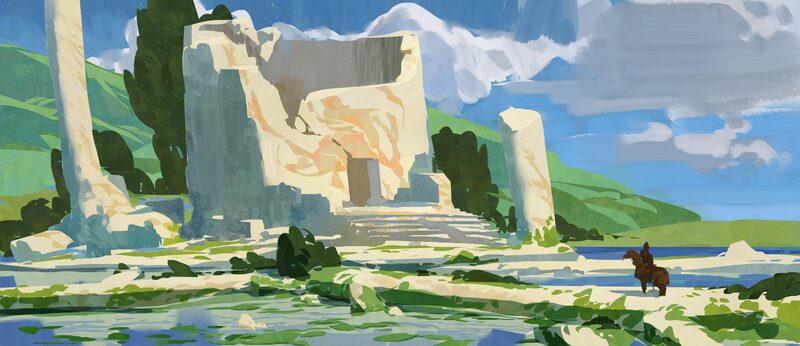
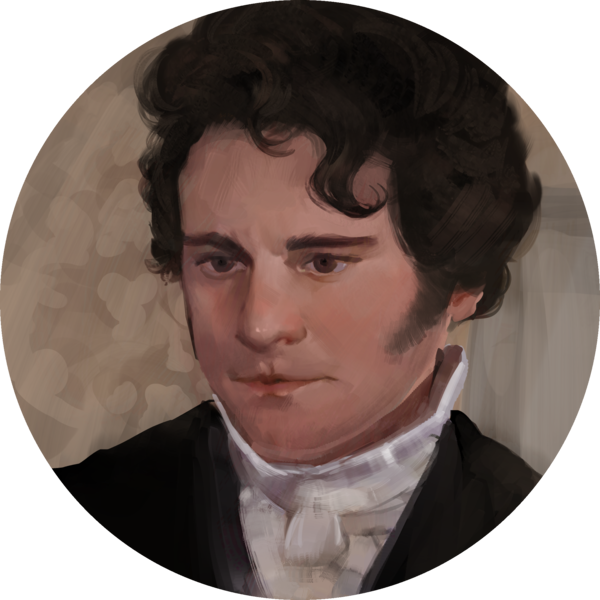
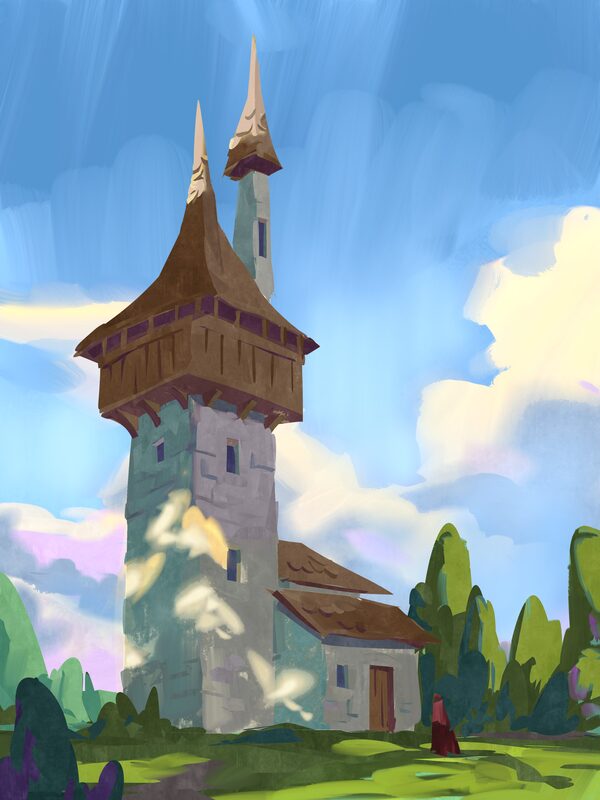
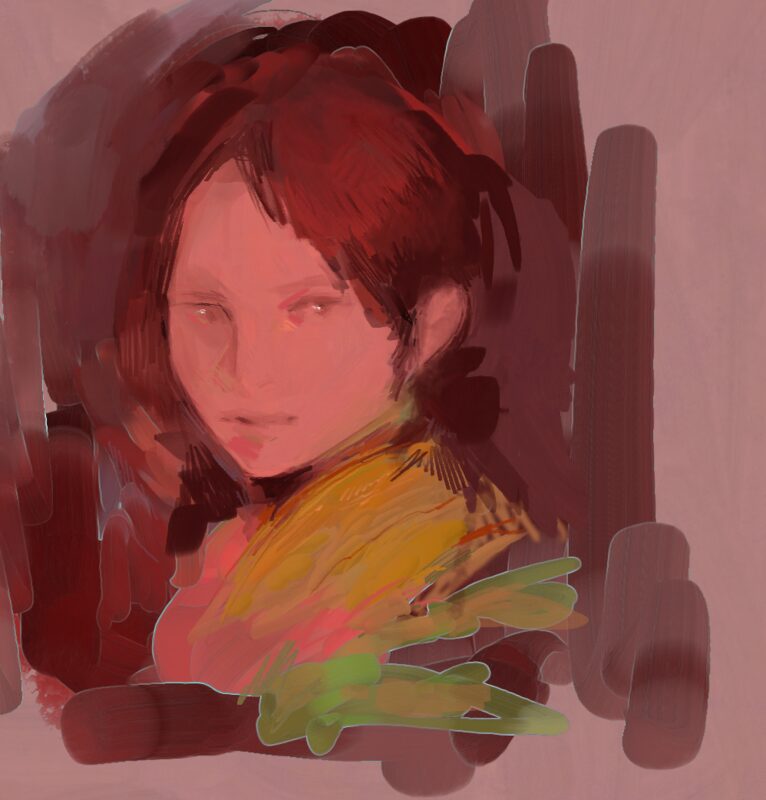
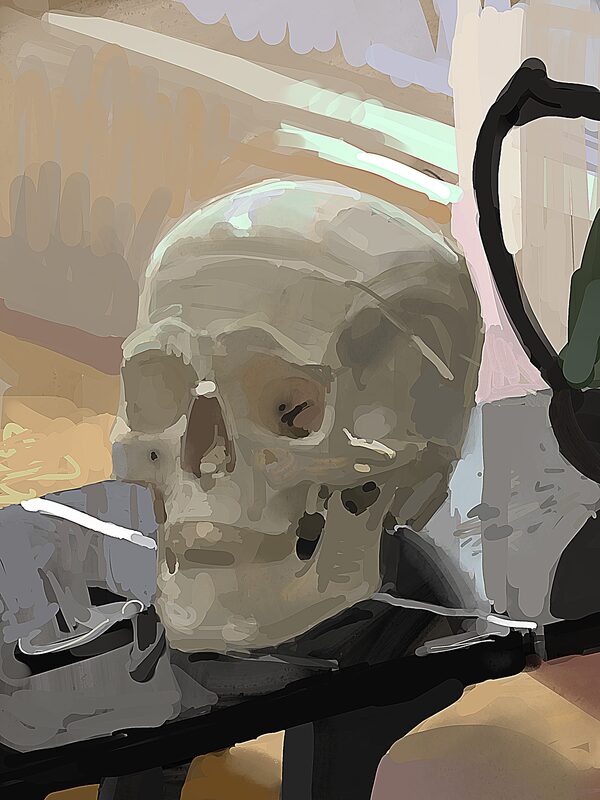
Made with Kala Paint
Who's making this
Hi! I'm Oliver Lawson - an artist and programmer in Cambridge, UK
Over the past fifteen years I've worked as:
- Illustrator & Concept Artist everything from Harry Potter to D&D core rulebooks
- C++ Tools Developer from map editors and site builders to hieroglyph teaching tools
- UE5 Technical/Env Artist C++ & BP's, shaders, procgen
- Materials Artist procedural materials rule!
- Procgen TA/TD making super cool stuff for games like procedural cities
- Art Director bridging tech and art teams to make great looking games
Art-wise I'll always love digital and oils, but I've long been frustrated with certain art software. I've taken a bit of a hiatus from art jobs in the past 5 years to focus more on programming, making things like a 3d editor & raytracer, my own programming language, a middle egyptian learning suite, and various useful gamedevy/art tool things.
After a couple of attempts at making painting programs for fun, I realised I finally had the C++/shader experience to program an actually useful software others could benefit from using too. Now here we are, and it's pretty awesome!
Please give the demo a try today and let me know how you get along.
Or if you'd like to get in touch, please reach out!
Note: This program is NOT vibe coded! That's not to say it won't be without bugs, they'll just be human-made bugs.
I'm working fulltime on this, but it's only one year in production so far, and we're adding cool things every day.

<= Please join us on the Discord Server to see what everyone is up to and join in!
Most of the cool stuff above was requests from other artists there!